SCCM Script – Uninstall McAfee
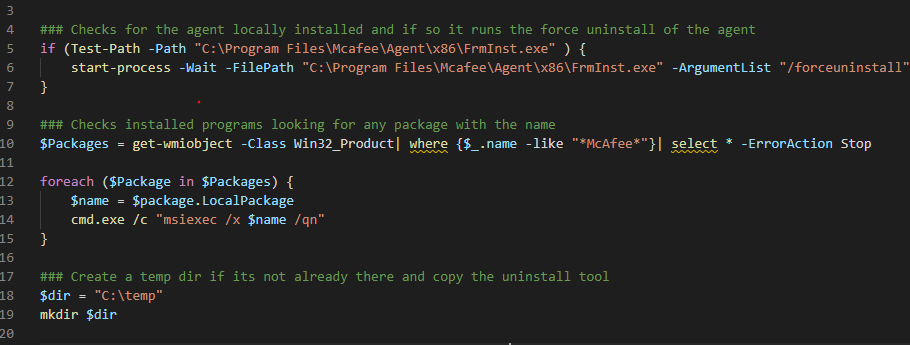
Here is a short but effective script to be run out of SCCM to completely uninstall McAfee from a device. Obviously EPO will do the same thing but usually you have to wait for the agents to check in. This script is great for those pilot users or systems that just aren’t playing nice. The script will first check to see if the EPO agent is installed and if so it will run the agent force uninstall. Next, it will run through add/remove programs and uninstalls anything with “McAfee” in the title. Finally, it copies the McAfee Endpoint product removal tool which removes anything left over, then reboots. I cannot supply the McAfee Endpoint product removal tool. However, if you have EPO already you can download the tool from McAfee for free. Due to this, you will need to update the hash value in the if statement otherwise the tools will not run. You can remove the if statement if you wish. Although, I highly recommend you always hash any files you are copying in your scripts. In my experience, has been the sledgehammer to uninstall McAfee. I hope it helps!
### Checks for the agent locally installed and if so it runs the force uninstall of the agent
if (Test-Path -Path "C:\Program Files\Mcafee\Agent\x86\FrmInst.exe" ) {
    start-process -Wait -FilePath "C:\Program Files\Mcafee\Agent\x86\FrmInst.exe" -ArgumentList "/forceuninstall"
}

### Checks installed programs looking for any package with the name
$Packages = get-wmiobject -Class Win32_Product| where {$_.name -like "*McAfee*"}| select * -ErrorAction Stop

foreach ($Package in $Packages) {
    $name = $package.LocalPackage
    cmd.exe /c "msiexec /x $name /qn"
}

### Create a temp dir if its not already there and copy the uninstall tool
$dir = "C:\temp"
mkdir $dir

### Copy McAfee Endpoint product removal tool to the local PC
robocopy "\\Path\to\Source\Folder"  "C:\temp" "McAfeeEndpointProductRemoval_20.11.0.111.exe"

#Get hash value of the file we just copied... JUUUUST in case
$hash_value = Get-FileHash -Path "C:\temp\McAfeeEndpointProductRemoval_20.11.0.111.exe"

#Compare the hash value and only run the exe if they match.
if ($hash_value -eq "4690CFDD6C9557EBA62D079255A14A3416F1BD3E91237D1259126837274949BF") {

    #Run the uninstall silently
    Start-Process -FilePath "C:\temp\McAfeeEndpointProductRemoval_20.11.0.111.exe" -Wait -ArgumentList "--accepteula --ALL"


}

#Remove the uninstall tool since we are done with it
Remove-Item -Path "C:\temp\McAfeeEndpointProductRemoval_20.11.0.111.exe" -Force -Confirm:$false