Create an SCCM Collection based on software installed
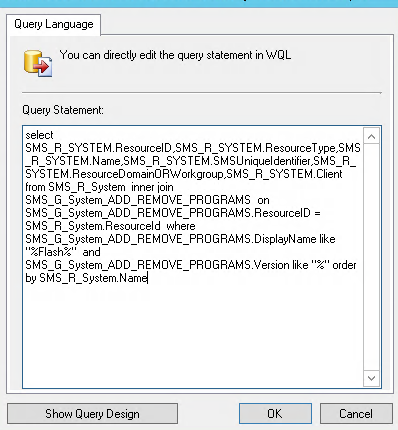
It is useful to create SCCM collections for workstations or servers having a certain piece of software installed. This can help visualize just how many systems have the software install. Another thing I have used this for in the past is to help you deploy updates or vulnerability fixes to systems with that software. To create an SCCM group follow this post. Here is the query you need to put into SCCM to create an SCCM collection based on software installed.
This example is for creating a collection of systems with Flash installed. You can replace the word Flash with the name of the application you want to search for. The % signs are wildcards, I recommend keeping them but your case may vary. In your device collection’s membership rules select Query Rule. Then name your query and click Edit Query Statement.
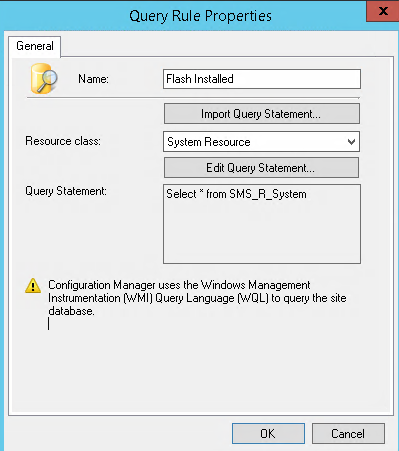
In the next window select Show Query Language
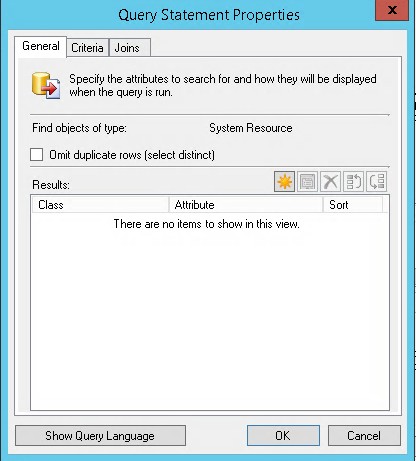
Now Paste the below into the window that shows up (make sure to delete whatever was in there by default). Now click OK and save your collection. Don’t forget to right click your collection and click update membership!
select SMS_R_SYSTEM.ResourceID,SMS_R_SYSTEM.ResourceType,SMS_R_SYSTEM.Name,SMS_R_SYSTEM.SMSUniqueIdentifier,SMS_R_SYSTEM.ResourceDomainORWorkgroup,SMS_R_SYSTEM.Client from SMS_R_System inner join SMS_G_System_ADD_REMOVE_PROGRAMS on SMS_G_System_ADD_REMOVE_PROGRAMS.ResourceID = SMS_R_System.ResourceId where SMS_G_System_ADD_REMOVE_PROGRAMS.DisplayName like "%Flash%" and SMS_G_System_ADD_REMOVE_PROGRAMS.Version like "%" order by SMS_R_System.Name